Image check guide
Is this image AI?
Is this image AI? To find out, check three things in order: what the image itself shows up close, whether it carries content credentials or has an earlier source, and what a detector finds. What to look for depends on the kind of image, because AI art, product shots, and viral memes fail in different ways.
Start with the image type
A photo-style image, a piece of digital art, and a meme ask different questions. For art, the question is usually whether a person made it. For a product image, it is whether the item exists. For a viral image, it is whether the event happened. Pick the checks that answer your question.
- Digital art and illustrations. Look at the parts an artist would plan and a model guesses: the number of fingers, buttons, and window panes; symmetry in faces and clothing; and the signature corner. AI art often has a scribble where a signature would be, brush texture that is the same everywhere, and small objects that melt into the background. Ask for the layered file or work-in-progress shots if the question matters.
- Product and listing images. Compare the item with the brand’s own photos. AI product shots often show logos with wrong letters, stitching or seams that run nowhere, and labels you cannot read. If the same product appears in no other listing anywhere, be careful before you pay.
- Memes and viral images. These are usually screenshots of screenshots, which removes most of what a detector needs. Search for the earliest copy first, then check that copy. A dramatic event with only one image and no reporting is the strongest warning sign.
- Faces and profile pictures. Watch for earrings that do not match, glasses that merge into skin, hair that turns into background, and a blurry or abstract backdrop. A profile with only one or two images and no ordinary photos is worth a second look.
Check for content credentials and a source
Some AI tools and cameras attach content credentials, a signed record that says how an image was made. If an image still has them, they are the closest thing to a direct answer. They are easy to lose, though: most social platforms and messaging apps remove them, and a screenshot always does.
A reverse image search is the next step. Upload the image to a search engine’s image search and sort by the oldest results. An AI image often has no history before the first post, while a real image or artwork usually turns up in earlier places, in other sizes, or next to the creator’s other work. After you run a check on CheckThatPhoto, the result card has reverse search buttons for this.
Then run the image through a detector
A detector looks for statistical patterns left by image generators, including ones you cannot see. It gives one of three answers: likely AI-generated, no clear AI signs, or unable to reliably determine. Use the original file when you can. If the image is on a web page, you can paste its link instead of downloading it.
Worked example: an AI landscape
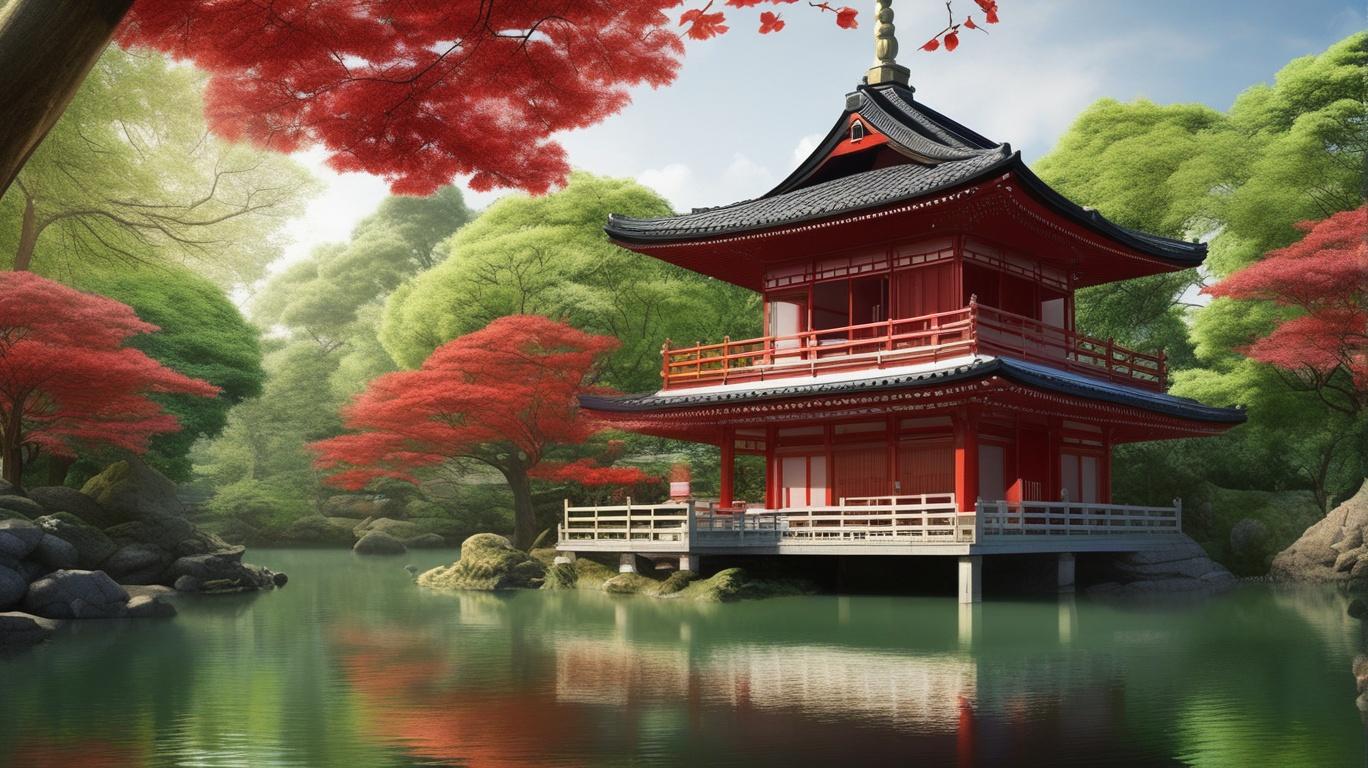
- Up close: the reflection in the pond is softer and simpler than the building it should mirror, the supports under the deck do not line up, and every colour is evenly saturated.
- Source: the image comes from a dataset of generated images. Found in the wild, it would have no earlier copies and no photographer.
- Detector: likely AI-generated, with a signal of 99.41%.
- Conclusion: all three agree, so you can treat it as AI-generated with confidence.
The same kind of image does not always give such a clear answer. In our test set, a different AI landscape came back inconclusive after it was resized and saved again as a JPEG. When the checks disagree, go back to the source rather than trusting any one of them. See the real-photo sample too
What a detector cannot tell you
- Whether a person made an image with AI help, such as a real photo with an AI-filled background. Partly edited images can go either way.
- Who made the image or who owns it. A result says nothing about copyright or authorship.
- Whether the event in the image happened. A real photo can still be used with a false caption.
Is this image AI? Common questions
Is this image AI if it has a watermark or label?
Some generators add a visible watermark or invisible content credentials, so a label is good evidence. The reverse is not true: most AI images have no label, because watermarks are easy to crop and credentials are often removed when an image is shared.
Can a detector tell which AI made an image?
Sometimes. When the AI signal is strong, CheckThatPhoto may name a possible source such as Midjourney or Stable Diffusion. Treat it as a guess: source guesses are less reliable than the AI signal itself.
Does it work on drawings and cartoons?
It can check any JPG, PNG, or static WebP, but detectors are trained mostly on photo-like images. Flat illustrations, logos, and simple graphics are more likely to come back inconclusive.
Can I check an image from a website without downloading it?
Yes. Paste the direct image link (right-click the image and copy the image address) into the detector instead of uploading a file.
Check an image now · Checking a photo someone sent you? Read is this photo AI · How the detector works